
OpenVPN - Create a new OpenVPN user
To follow this guide you should have administrative access to the OPNSense firewall.
Create user
Go under the tab System -> Access -> User and click on the + button.
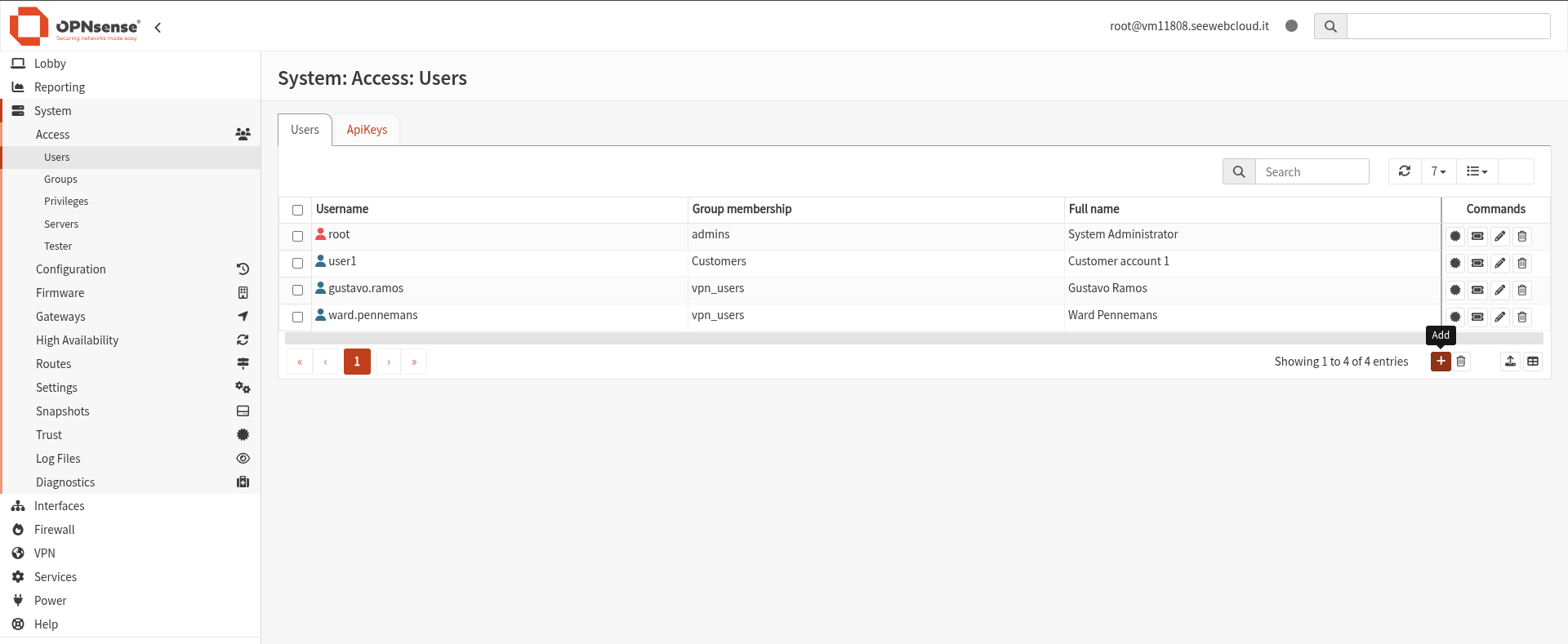
It opens a window which contains a form that we will fill with the user data an the credential that the user will use to connect.

It's fundamental to add the user to the vpn_users group under Group membership