OpenVPN - Create a new OpenVPN user
To follow this procedure you need administrative access to the OPNSense firewall.
Create user
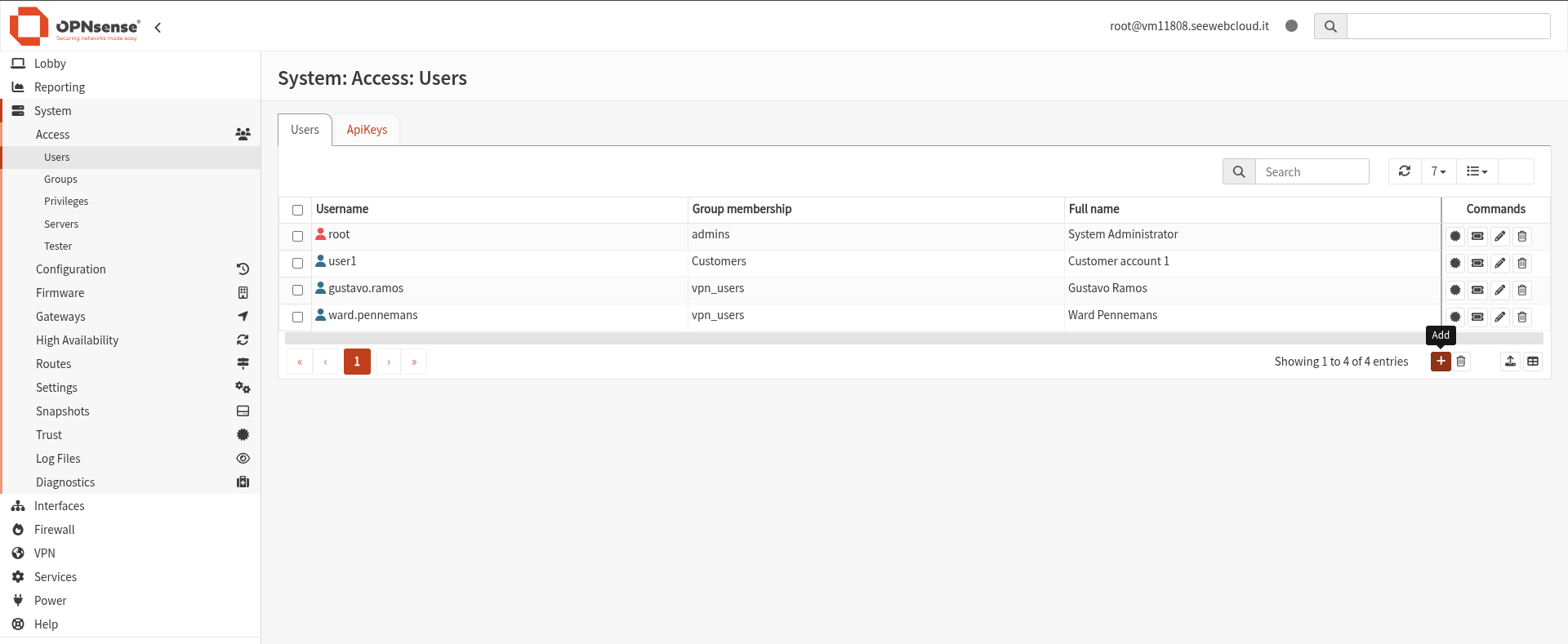
This will open a form where you can configure the new user.
Configure User Details
Fill in the required fields:
- Username
- Password
- (Optional) Description or additional details
These credentials will be used by the user to connect to the VPN.

It's fundamental to add the user to the vpn_users group under Group membership.
Without this step, the user will not be able to access the VPN.
Create / Assign User Certificate
To allow OpenVPN authentication, a certificate must be associated with the user.
Navigate to: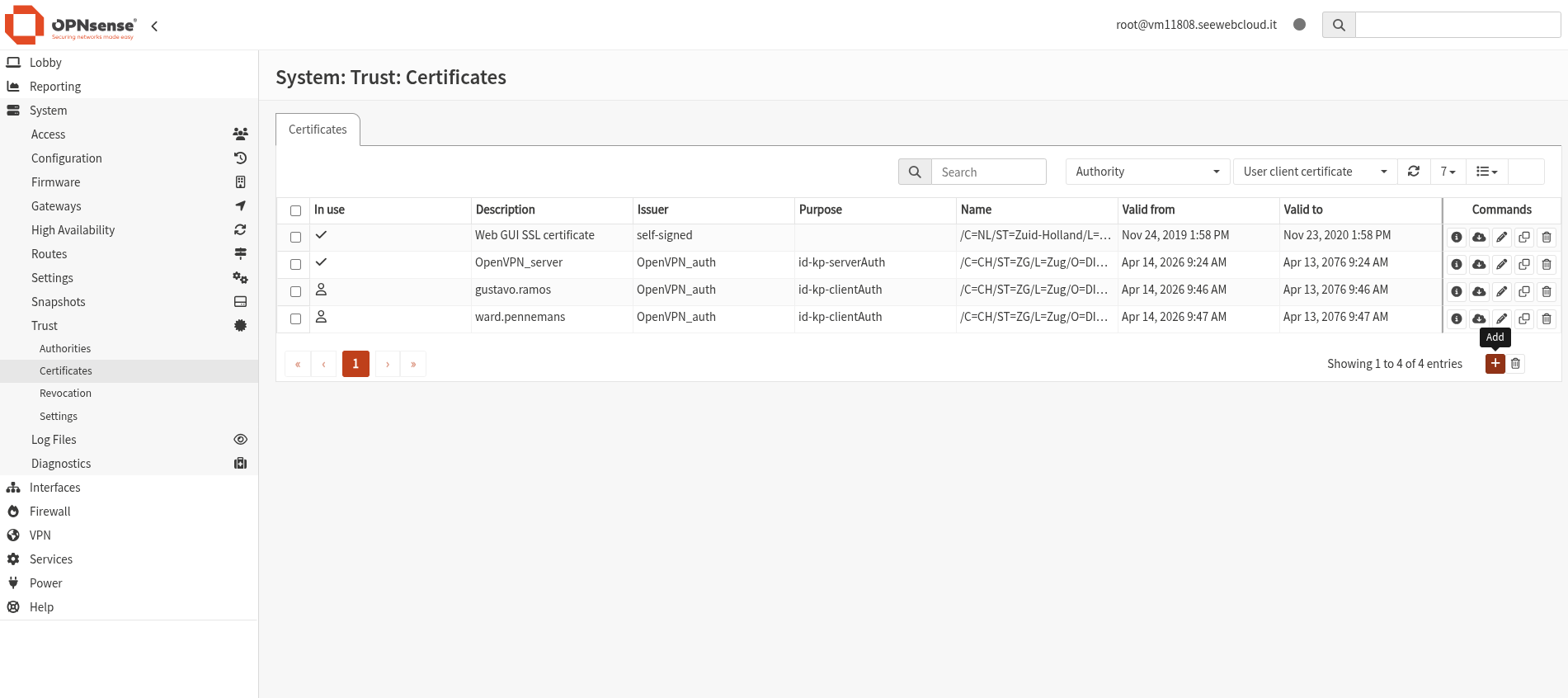
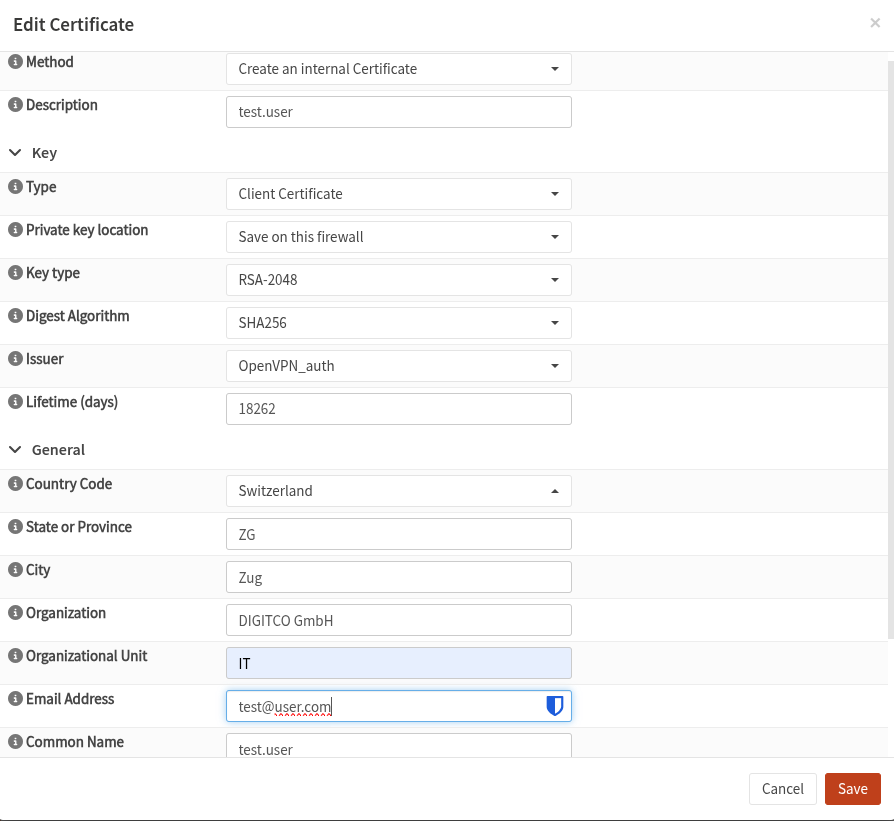
Fill in the fields:
Save the certificate.